How to Design an AI Workflow: A Human-to-System Blueprint
Last updated: September 1, 2026
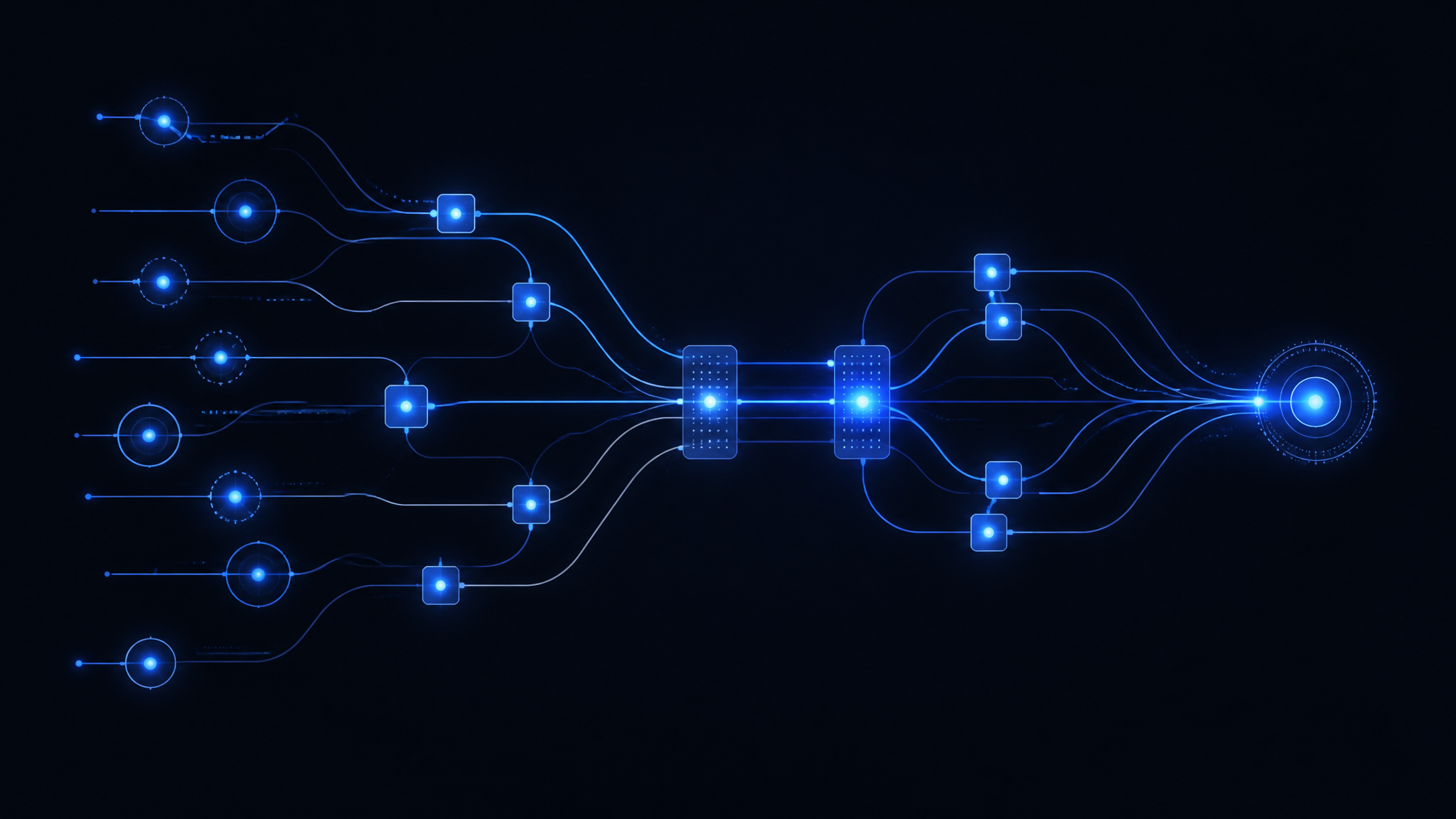
Key takeaways
- An AI workflow is a human-to-system blueprint, not just a prompt or model deployment.
- Define precise triggers and outputs before building any AI workflow.
- Plan for failure with explicit paths to human review or retries.
- Place humans where wrong AI outputs cost more than review time.
- Measure every step’s cost, latency, and quality to enable improvement.
Most "AI workflows" are not workflows. They are a prompt pasted into a chat box and a hope. That is not a system. That is a lottery ticket with a subscription fee.
A real AI workflow is a repeatable, measurable, failure-aware sequence that turns a defined input into a defined output, with a human in the loop exactly where the cost of being wrong is higher than the cost of being slow. If you cannot draw it, you do not have one. If you cannot measure it, you cannot improve it. If you have not planned for it to fail, it will fail on the day you need it most.
This is the field guide for the person who has to actually ship this thing — not the person who writes about it. No theory. No vendor slideware. A method you can apply to your first workflow this afternoon.
What an AI Workflow Actually Is
Let's kill the confusion at the root. An AI workflow is not:
- A single prompt.
- A chatbot.
- A "copilot" that answers questions.
- A model you fine-tuned and deployed.
- A RAG pipeline bolted onto a search box.
Those are components. A workflow is the orchestration of those components plus the humans who supervise them, arranged so that a specific business outcome happens reliably, at a known cost, with a known failure rate.
Here is the definition we will use for the rest of this article:
An AI workflow is a defined sequence of steps — some automated, some human — that transforms a specific input into a specific output, with explicit decision points, failure paths, and measurement.
Three words in that definition do the heavy lifting, and most people skip all three:
Defined. The input is not "whatever the user types." The output is not "something useful." Both are specified in advance, with a schema, a format, and a quality bar. If you cannot write down what goes in and what comes out, you are not ready to build.
Failure-aware. The workflow assumes the model will be wrong. It plans for it. It routes wrong outputs to a human, or back to a retry, or to a fallback. A workflow without a failure path is a workflow that fails silently — which is worse than failing loudly, because silent failure gets shipped to customers.
Measured. Every step has a cost, a latency, and a quality signal. You know what a good run looks like and what a bad run looks like, and you can tell the difference from a dashboard, not from vibes.
The single most important reframe: an AI workflow is a human-to-system blueprint, not a model-to-model pipeline. The human is not an afterthought or an "exception handler." The human is a designed component. Where you put the human, how much they see, and what they are allowed to override is a design decision you make on purpose — not a default you inherit.
That reframe is the whole article. Everything else is mechanics.
Memory Before Orchestration
Before the Blueprint Method, one sequencing rule, because getting it wrong is the most common reason a well-drawn workflow still fails in production.
Memory before orchestration — always.
Orchestration is the sequence: which step runs, in what order, with what handoffs. Memory is what the system knows about how your business actually decides things — the exceptions, the policy interpretations, the corrections reviewers make, the reasoning nobody wrote down.
A well-orchestrated workflow with no memory is a fast machine for producing confidently generic output. It gives you the answer a competent stranger would give: fluent, plausible, and wrong in the specific ways your business is specific. Add autonomy to that and the cost of each confident error rises. Autonomy without memory is a liability.
What to establish before you draw the workflow
| Question | Why it decides the design |
|---|---|
| What knowledge does this decision depend on? | If it is undocumented, capturing it is the first project |
| Where does that knowledge live today? | "In three people's heads" is a finding, not a blocker |
| What is the authoritative source, and who maintains it? | An unmaintained source produces a workflow that decays silently |
| How will reviewer corrections be captured? | Corrections are the highest-value output the workflow produces |
| Is the memory portable if the model changes? | If it only exists in weights or a vendor index, it is rented |
The correction loop is part of the workflow
Most workflow diagrams show the human review step as a gate: approve, edit, or reject. That is half of it. The other half is what happens to the edit.
When a reviewer corrects an output, capture three things: what was wrong, what it should have been, and why. Structured, not free text, wherever possible. Log it into a store you control.
That log is the reason your third workflow costs less to build than your first. Skip it, and every workflow starts from zero, forever. Teams that add correction capture in month six have already discarded thousands of labeled examples of exactly the judgment they were trying to encode.
The rule for the rest of this article: every workflow map has a memory layer under it, and the human decision points feed that layer rather than just gating output.
The Blueprint Method
Here is the method. It has five steps, and you do them in order. Do not skip ahead. The reason most AI projects die is that people start at step two — they pick a model and start prompting — before they have done step one.
The Blueprint Method:
- Define the trigger and the output. What starts the workflow, and what must it produce?
- Map the AI steps. Where does a model actually add value, and where is it theater?
- Place the human decision points. Where does a human have to be in the loop, and why?
- Design the failure paths. What happens when each step goes wrong?
- Add the measurement points. How do you know it is working?
Each step produces an artifact. By the end you have a one-page workflow map — the template is at the end of this article — that you can hand to an engineer, a reviewer, or a stakeholder and say "build this."
The method is deliberately boring. That is the point. The boring parts are the parts that survive contact with production.
Step 1: Define the Trigger and the Output
Every workflow starts with a trigger and ends with an output. If you cannot name both, stop.
The trigger
The trigger is the event that starts the workflow. It is not "a user asks a question." It is specific:
- A new support ticket is created with priority P1.
- A contract is uploaded to the intake folder.
- A sales rep closes a deal and the CRM fires a webhook.
- A batch of invoices lands in the queue at 2:00 AM.
- A candidate submits an application.
A good trigger is machine-detectable. If a human has to notice that the workflow should start, it is not a workflow, it is a to-do list. The trigger should be an event, a schedule, or a state change that a system can observe without anyone poking it.
The output
The output is the deliverable. It is not "a good answer." It is specific:
- A draft reply to the customer, in the brand voice, with the account history attached, ready for human review.
- A structured contract summary with the key terms extracted into a fixed schema.
- A ranked shortlist of three candidates with a one-paragraph rationale each.
- A flagged invoice with the discrepancy highlighted and the likely cause noted.
A good output has three properties:
- It is a defined artifact. It has a format, a schema, a file, a record. It is not a vibe.
- It has a quality bar. You can say, in advance, what "good" looks like. If you cannot, you cannot review it, and you cannot measure it.
- It is consumable by the next step. The output of step one is the input to step two. If the output is a blob of prose that no system can parse, you have built a dead end.
The trap
The trap in step one is scope. People define the output as "help the customer" or "improve sales" — a business goal, not an artifact. A business goal is not an output. It is the reason the output exists. The output is the concrete thing the workflow produces, and the business goal is what that thing is supposed to move.
Write both down. The goal tells you why. The output tells you what. The trigger tells you when. If you have all three, step one is done.
Step 2: Map the AI Steps
Now you decide where a model actually earns its keep. This is where most people overbuild.
The honest test
For every step you are tempted to automate with a model, ask one question:
Does a model make this step better, or just faster?
"Faster" is not nothing — speed has value. But it is a different value than "better," and it has a different cost profile. Be honest about which one you are buying.
A model genuinely earns its place when the task is one of these:
- Extraction. Pulling structured data out of unstructured text. Contracts, invoices, resumes, emails, transcripts. Models are good at this.
- Classification and routing. Deciding which bucket something belongs in. Is this ticket a refund or a technical issue? Is this email urgent? Models are good at this.
- Drafting. Producing a first-pass artifact that a human will edit. Draft replies, draft summaries, draft code, draft copy. Models are good at this.
- Transformation. Converting one format to another. Meeting notes to action items, raw data to a report, a spec to a test plan. Models are good at this.
- Search and retrieval. Finding the right context to hand to another step. Models are good at this.
A model is theater when the task is one of these:
- Final decisions with real consequences. The model should draft, the human should decide. If you let the model decide, you have moved the human decision point to the customer, which is the worst place to put it.
- Anything where the cost of being wrong is catastrophic and the volume is low. If you process three of these a month, a human does it better and cheaper than a model plus its oversight.
- Anything where the "answer" is actually a relationship. A model cannot manage an account. It can draft the email. It cannot be the account manager.
The map
For each AI step, write down:
- What the step does. One sentence.
- What model capability it uses. Extraction, classification, drafting, transformation, retrieval.
- What the input is. The exact artifact it consumes.
- What the output is. The exact artifact it produces.
- What could go wrong. The failure mode. (You will design the failure path in step four, but you need to name the risk now.)
The trap
The trap in step two is the "AI everywhere" reflex. You map a workflow and decide every step needs a model because you have a budget and a mandate. Resist it. Every model you add is a new failure surface, a new cost, a new latency, and a new thing to monitor.
The rule: automate the steps where a model is reliably good, and leave the rest to humans or to deterministic code. A workflow with two well-chosen AI steps beats a workflow with eight AI steps that all need babysitting. The goal is not to maximize model usage. The goal is to maximize output quality per dollar and per hour of human attention.
Step 3: Place the Human Decision Points
This is the step that separates a real workflow from a demo. Where does a human sit, and why?
The principle
The human is not a safety net. The human is a designed component with a specific job. You place a human decision point where the cost of a wrong automated decision is higher than the cost of a human review.
That is a cost calculation, not a philosophy. It depends on:
- The cost of being wrong. If a wrong output ships to a customer, that is expensive. If a wrong output is caught downstream, it is cheap.
- The volume. If you process 10,000 items a day, you cannot have a human review all of them. You need a confidence threshold and a sampling strategy.
- The latency budget. If the customer is waiting on the phone, you cannot route everything to a human. You need a fast path and a slow path.
The three human roles
There are three distinct jobs a human can do in a workflow. They are not interchangeable, and you should name which one you are using at each decision point.
- The reviewer. The model produces a draft, the human approves or edits it before it ships. This is the most common and the most valuable role. The human is the final quality gate.
- The exception handler. The model flags something it cannot handle, and the human takes over the whole case. The human is the escalation path.
- The auditor. The model ships its output, and the human samples the results to check quality over time. The human is the feedback loop that keeps the model honest.
The decision point design
For each human decision point, write down:
- What the human sees. The exact artifact. Not "the case." The draft, the extracted data, the flagged item, with the context they need to judge it.
- What the human can do. Approve, edit, reject, escalate. Be explicit. If the human can only approve or reject, say so. If they can edit, say what they can edit.
- What happens on each action. Approve → ship. Edit → ship the edited version. Reject → send back to the model or to a human specialist.
- The SLA. How fast does the human have to act? If the workflow stalls waiting for a human, you have built a bottleneck, not a workflow.
The trap
The trap in step three is the "human in the loop" slogan. People say "we have a human in the loop" and then put the human at the very end, reviewing everything, which is the most expensive possible design. Or they put the human nowhere and call the model "autonomous," which is how you get a model emailing a customer a hallucinated refund amount.
The rule: put the human where the judgment is, not where the volume is. If the model is good at a step, let it run. If the step has real consequences, put a human there. Do not make the human redo what the model does well, and do not let the model do what the human must judge.
Step 4: Design the Failure Paths
Here is the uncomfortable truth: your model will be wrong. Not sometimes. Regularly. At a rate you can measure but never eliminate. The question is not whether it fails. The question is what happens when it does.
The failure modes
Name the ways each step can fail. The common ones:
- Hallucination. The model produces confident nonsense. It invents a fact, a number, a name, a clause.
- Omission. The model misses something important. It skips a key term in a contract, a critical line in a log, a relevant email in a thread.
- Misclassification. The model routes something to the wrong bucket. A refund request goes to technical support. A high-priority issue goes to the low-priority queue.
- Format failure. The model produces output that does not match the schema. Wrong JSON, missing fields, malformed data.
- Context failure. The model does not have the right context, so it answers confidently and wrongly. The retrieval step returned the wrong document, and the model did not know.
- Drift. The model was good last month and is worse now. The input distribution changed, or the model was updated, or the world changed.
The failure path design
For each failure mode, design the response. The response is one of:
- Retry. Send it back to the model with more context or a different prompt. Cheap, but only works if the failure is transient.
- Escalate to a human. Route the case to the exception handler. Expensive, but correct.
- Fallback to a deterministic path. Use a rule, a template, a lookup table, or a human instead of the model. Reliable, but limited.
- Reject and flag. Do not ship it. Mark it for review. Better to ship nothing than to ship garbage.
- Accept and monitor. The failure is low-cost, so let it through and track it. This is the auditor's job.
The key design decision: what is the cost of each failure, and what is the cost of each response? You are trading cost against cost. A hallucinated contract summary that a lawyer never reads is expensive. A hallucinated contract summary that a lawyer always reads is cheap — the human catches it. The failure path is where you decide who absorbs the risk.
The trap
The trap in step four is the "we'll handle it" assumption. People design the happy path beautifully and then say "we'll handle errors as they come up." That is not a failure path. That is a fire drill.
The rule: design the failure path before you ship, and make it visible. A failure that is caught and routed is a cost. A failure that ships silently is a liability. The difference is a designed failure path.
Step 5: Add the Measurement Points
You cannot improve what you cannot measure, and you cannot trust what you cannot measure. Step five is where the workflow becomes a system instead of a script.
What to measure
Measure four things, at minimum:
- Cost per run. What does one end-to-end run cost in model tokens, compute, and human time? You need this to know if the workflow is worth running at all.
- Latency. How long does a run take, from trigger to output? Where does the time go? If the human review takes three days, the model being fast is irrelevant.
- Quality. What fraction of outputs pass the quality bar? This is the hard one, and it is why you have human reviewers and auditors — they are your quality signal.
- Failure rate. How often does each step fail, and how often does a failure ship? This is your risk signal.
The measurement design
For each measurement, write down:
- What you measure. The exact metric.
- Where you measure it. Which step, which point in the flow.
- How you measure it. The tool, the log, the review, the sample.
- The threshold. What number means "this is working" and what number means "this is broken."
The feedback loop
The measurement is not a report. It is a feedback loop. When the failure rate crosses a threshold, something happens: the model gets retrained, the prompt gets fixed, the human decision point moves, the workflow gets redesigned. If your measurement does not feed a decision, it is decoration.
The trap
The trap in step five is measuring activity instead of outcome. "We processed 10,000 tickets" is activity. "We shipped 9,400 correct replies and 600 went to human review, of which 40 were wrong" is an outcome. Measure the outcome.
The rule: measure the thing that tells you whether to keep running the workflow, not the thing that makes the dashboard look good.
Workflow Patterns
Once you have built one workflow, you start to see the shapes. Here are the patterns that recur, so you can recognize them and reuse them.
The Draft-Review-Ship pattern
The model drafts, a human reviews, the output ships. This is the workhorse. It is how you automate email replies, contract summaries, content drafts, and code reviews without losing control.
Trigger → Model drafts → Human reviews → Ship
The human is the quality gate. The model is the speed multiplier. This pattern works because the human sees a draft, not a blank page, and the model never ships without a human.
The Extract-Flag-Escalate pattern
The model extracts and flags, and only the flagged items reach a human. This is how you handle high-volume, low-judgment work like invoice processing, log triage, and application screening.
Trigger → Model extracts → Model flags → Human reviews flagged only → Ship
The human sees a small, high-value subset. The model absorbs the volume. This pattern works when the model's flagging is accurate enough that the human is not drowning in false positives.
The Route-and-Respond pattern
The model classifies and routes, and the response depends on the route. This is how you build intelligent triage.
Trigger → Model classifies → Route A (auto) / Route B (human) / Route C (fallback)
The model decides the path, and each path has its own handling. This pattern works when the classification is reliable and the routes are well-defined.
The Human-in-the-Middle pattern
The human makes a decision, and the model does the heavy lifting around it. This is how you keep judgment where it belongs while automating the work.
Trigger → Model prepares → Human decides → Model executes → Ship
The human decides, the model executes. This pattern works for high-stakes decisions where the human must own the outcome but the model can do the preparation and the follow-through.
The Audit-Loop pattern
The model ships, and a human samples the output to keep it honest. This is how you run a workflow that is mostly autonomous without going blind.
Trigger → Model processes → Ship → Human samples → Feedback → Model improves
The human is not in the critical path. They are in the feedback loop. This pattern works when the model is good enough to ship most output but not good enough to trust without oversight.
Common Mistakes
Here are the mistakes that kill AI workflows. Every one of them is avoidable, and every one of them is common.
1. Starting with the model
You pick a model, then you look for a problem to point it at. Wrong order. Define the trigger, the output, and the human decision points first. The model is the last decision, not the first.
2. No defined output
You build a workflow that produces "a helpful response." You cannot review it, measure it, or improve it. Define the artifact, the schema, and the quality bar before you build.
3. The human as an afterthought
You build the automation, then you bolt a human on at the end to "check it." The human is a designed component. Place them where the judgment is, and give them a defined job.
4. No failure path
You design the happy path and assume errors will be handled. They will not be. Design the failure path before you ship, and make failures visible.
5. Measuring activity, not outcome
You report "10,000 processed" and call it success. Measure the outcome: how many were correct, how many shipped wrong, how much it cost, how long it took.
6. Automating everything
You put a model on every step because you have a mandate. Every model is a new failure surface. Automate where the model is reliably good, and leave the rest alone.
7. No human override
You build a workflow where the human can only approve or reject, and the model's draft is the only option. Give the human the ability to edit, to escalate, and to change the path. A human who cannot override is a rubber stamp, and a rubber stamp is not a decision point.
8. Ignoring drift
You ship the workflow and assume it stays good. It will not. The input distribution will change, the model will be updated, the world will move. Build the audit loop and the drift threshold from day one.
9. The demo trap
You build a workflow that works on three perfect examples and call it done. Real workflows run on messy, incomplete, contradictory input. Test on the ugly cases, not the pretty ones.
10. No owner
You build a workflow and nobody owns it. It drifts, it breaks, it gets ignored. Every workflow needs an owner who is accountable for its cost, its quality, and its failure rate.
Workflow Map Template
Here is the one-page template. Copy it, fill it in, and you have a blueprint an engineer can build from. This is the artifact the Blueprint Method produces.
WORKFLOW MAP
Name: ________________________________________________
Owner: _______________________________________________
Business goal: _______________________________________

1. TRIGGER
   Event / schedule / state change: ___________________
   Machine-detectable?  [ ] Yes  [ ] No

2. OUTPUT
   Artifact: __________________________________________
   Format / schema: ___________________________________
   Quality bar: _______________________________________

3. AI STEPS
   Step | Capability | Input | Output | Failure mode
   -----|------------|-------|--------|--------------
   ___  | ___________ | ______ | ______ | ______________
   ___  | ___________ | ______ | ______ | ______________

4. HUMAN DECISION POINTS
   Point | Role (reviewer/handler/auditor) | What they see | Actions | SLA
   ------|--------------------------------|---------------|---------|-----
   ___   | ______________ | ______________ | ________ | ____

5. FAILURE PATHS
   Failure mode | Response (retry/escalate/fallback/reject/monitor) | Cost
   -------------|---------------------------------------------------|-----
   _____________ | ______________ | ________

6. MEASUREMENT POINTS
   Metric | Where | How | Threshold
   -------|-------|-----|----------
   Cost/run | ______ | ______ | ______
   Latency  | ______ | ______ | ______
   Quality  | ______ | ______ | ______
   Failure  | ______ | ______ | ______
A filled-in example
Here is the same template filled in for a real, boring, useful workflow: drafting replies to customer support tickets.
WORKFLOW MAP
Name: Support ticket draft replies
Owner: Head of Support
Business goal: Cut reply time while keeping quality

1. TRIGGER
   New support ticket created with priority P1 or P2.

2. OUTPUT
   Artifact: Draft reply in brand voice, with account history attached.
   Format: Text block in the ticket, plus a confidence score.
   Quality bar: No invented facts; all claims traceable to the ticket or account history.

3. AI STEPS
   Step | Capability | Input | Output | Failure mode
   -----|------------|-------|--------|--------------
   Summarize ticket | Extraction | Ticket text | Structured issue summary | Omission of key detail
   Retrieve history | Retrieval | Account ID | Relevant past tickets | Wrong context returned
   Draft reply | Drafting | Summary + history | Draft reply + confidence | Hallucinated fact

4. HUMAN DECISION POINTS
   Point | Role | What they see | Actions | SLA
   ------|------|--------------|---------|-----
   Reply review | Reviewer | Draft + summary + history | Approve / Edit / Reject | 15 min

5. FAILURE PATHS
   Failure mode | Response | Cost
   -------------|----------|-----
   Hallucinated fact | Escalate to human, block ship | High
   Low confidence | Escalate to human | Medium
   Wrong context | Retry with corrected retrieval | Low
   Format failure | Reject and flag | Low

6. MEASUREMENT POINTS
   Metric | Where | How | Threshold
   -------|-------|-----|----------
   Cost/run | End-to-end | Token + time log | < $0.10
   Latency | Trigger to draft | Log | < 30 sec
   Quality | Human review | % approved without edit | > 80%
   Failure | Ship | % shipped wrong | < 1%
That is a complete blueprint. An engineer can build it. A reviewer can check it. A stakeholder can understand it. That is the whole point.
FAQ
1. What is the difference between an AI workflow and a prompt?
A prompt is a single instruction to a model. An AI workflow is a defined sequence of steps — trigger, AI steps, human decision points, failure paths, measurement — that transforms a specific input into a specific output. A prompt is a component. A workflow is the system that uses it. If you only have a prompt, you have a lottery ticket. If you have a workflow, you have a process you can measure, improve, and trust.
2. Do I need a human in the loop for every AI workflow?
No. You need a human where the cost of a wrong automated decision is higher than the cost of a human review. If the output is low-stakes and high-volume, you can let the model ship and audit the results. If the output is high-stakes — a contract, a refund, a medical note, a legal claim — you need a human decision point. The rule is a cost calculation, not a philosophy. Put the human where the judgment is, not where the volume is.
3. How do I know if my AI workflow is working?
You measure it. Cost per run, latency, quality, and failure rate. You set a threshold for each, and you check them on a dashboard, not by vibes. The workflow is working when it meets its cost and latency targets, its quality bar, and its failure threshold — and when a failure triggers a designed response, not a fire drill. If you cannot name the metric and the threshold, you do not know if it is working.
4. What is the most common reason AI workflows fail?
Starting with the model instead of the workflow. People pick a model, then look for a problem to point it at, and skip the trigger, the output, the human decision points, and the failure paths. The result is a demo that works on three perfect examples and collapses on real, messy input. The fix is the Blueprint Method: define the trigger and output first, place the humans on purpose, design the failure paths before you ship, and measure the outcome.
5. How much of an AI workflow should be automated?
As much as the model is reliably good at, and no more. Automate extraction, classification, drafting, transformation, and retrieval — the things models do well. Leave final decisions with real consequences to humans. Every model you add is a new failure surface, a new cost, and a new thing to monitor. A workflow with two well-chosen AI steps beats a workflow with eight AI steps that all need babysitting.
6. What should I do when the model gets something wrong?
You should have designed the failure path before you shipped. The response is one of: retry with more context, escalate to a human, fall back to a deterministic path, reject and flag, or accept and monitor. The choice depends on the cost of the failure and the cost of the response. If you did not design the failure path, the answer is: fix that first, because a failure that ships silently is a liability, not a cost.
7. How do I get started with my first AI workflow?
Pick one boring, high-volume, well-defined task. Do not pick the most impressive thing. Fill in the workflow map template: name the trigger, the output, the AI steps, the human decision points, the failure paths, and the measurement points. Then build the smallest version that produces the output, put a human reviewer on it, and measure. Ship it, watch the metrics, and improve. One boring workflow that ships beats ten impressive ones that never leave the demo.
Jeff Ellis
Writing at DigiVisory.com. Practical AI education for operators.
Get articles like this in your inbox.